

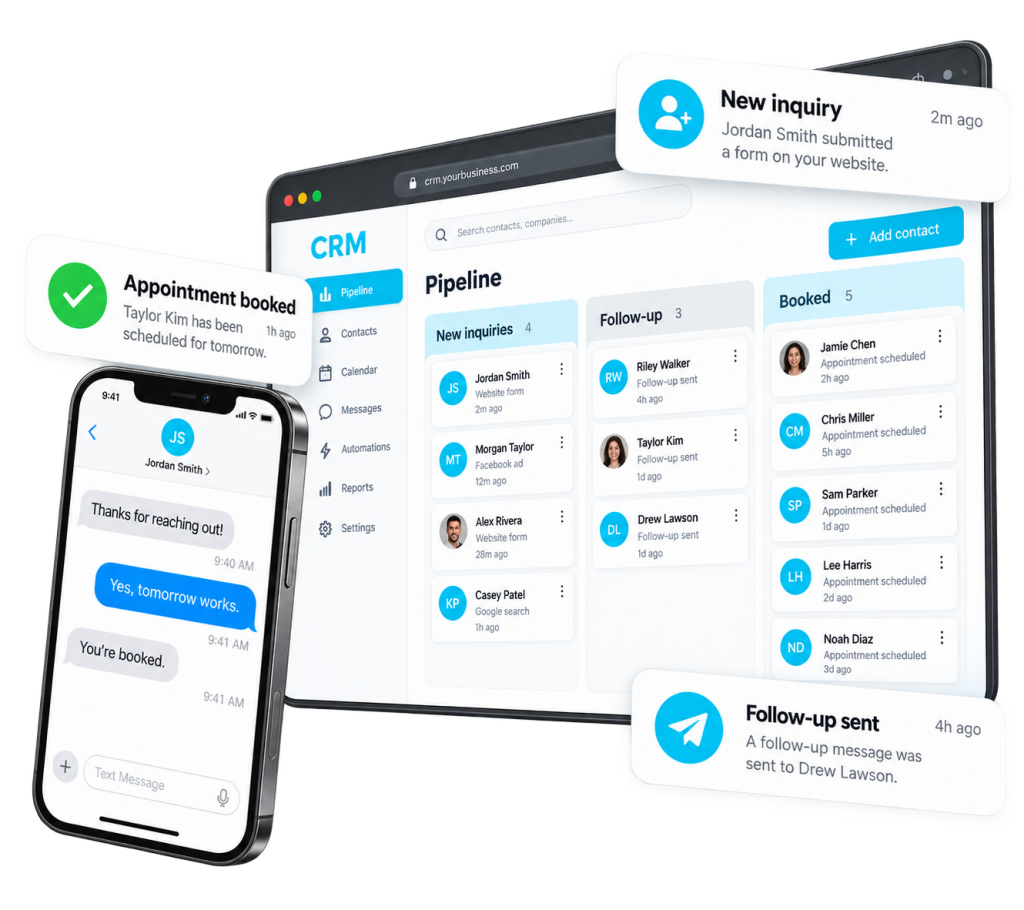
A lead follow-up workflow defines what happens after someone raises a hand. It should answer four practical questions: who owns the inquiry, what do they need to know, what happens next, and how will the team notice if that step is missed?
Start with one common entry point, such as the website form. Map the current journey before adding automation. If the team cannot explain the manual process, software can repeat the confusion more efficiently without solving it.
Capture context that supports the conversation
Collect the information needed to route and respond: contact details, relevant service need, and useful context about the request. Keep the form proportional to the commitment. A first inquiry should not feel like an unnecessary application process.
Make sure the service selection appears in the record and in the internal notification. A notification that says only “new lead” forces the recipient to hunt for the information needed to respond thoughtfully.
Assign one accountable owner
Routing rules can use service, location, availability, or another legitimate business requirement. Include a fallback owner for incomplete or unexpected submissions. “Everyone receives the email” is not the same as somebody owning the next action.
Set a realistic response expectation and distinguish working hours from after-hours handling. The customer-facing confirmation should match what the team can actually deliver.
Design the first response and the next step
Acknowledge the request, confirm the relevant context, and make the next action clear. That may be a call, a scheduling link, or a question needed to establish fit. Avoid a generic message that ignores what the person just told you.
Create a task or visible queue for inquiries awaiting a human response. Automated acknowledgment can reassure the customer, but it should not be mistaken for a completed sales conversation.
Add sensible follow-up and stop rules
- Pause or stop automated reminders when the person replies.
- Stop booking prompts when an appointment is already scheduled.
- Respect opt-outs and communication preferences.
- Avoid duplicate sequences when the same person submits twice.
- Escalate unanswered inquiries to an appropriate owner.
- Give staff a way to stop automation when circumstances require judgment.
Use messaging channels only when the business has the appropriate permission and controls. This is an operational design principle, not a substitute for reviewing applicable legal or platform requirements.
Test the uncomfortable cases
Submit a duplicate inquiry. Choose each service option. Try an incomplete record. Book and cancel an appointment. Reply during a follow-up sequence. Confirm the customer message, internal alert, task, and opportunity stage remain consistent.
Then review real usage with the team. Look for delayed responses, missing context, and stages where no next task exists. A workflow should become easier to understand over time, not accumulate exceptions nobody remembers.
Our CRM and automation service connects capture, ownership, follow-up, and reporting. Use the pipeline stage guide to make the opportunity’s progress equally clear.